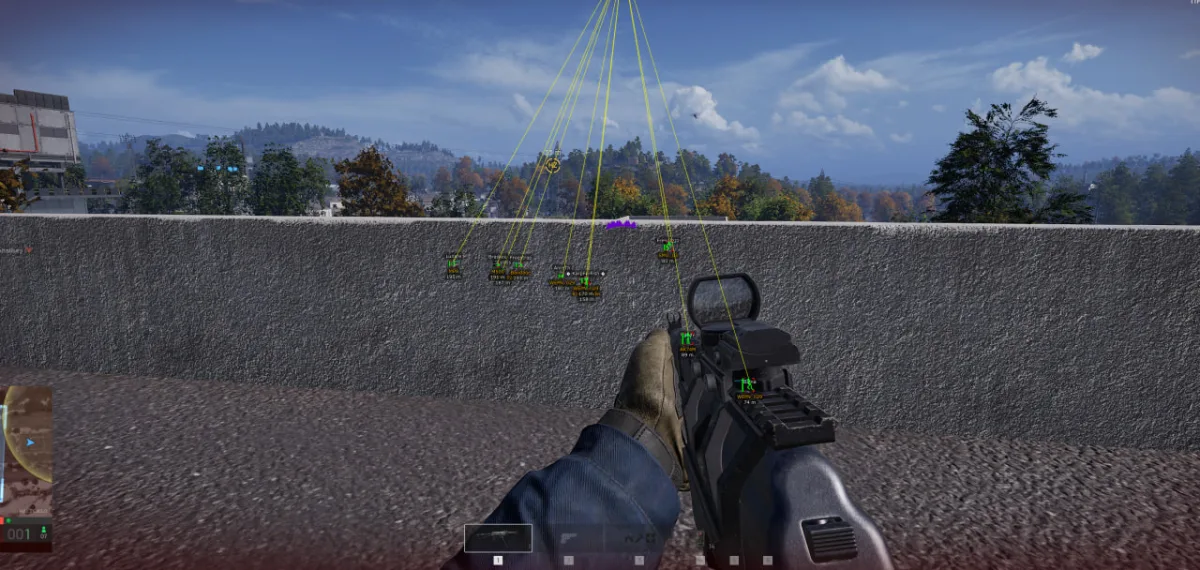
Bone selection: Interactive bone picker/Bone priority multi-select
VISUALS
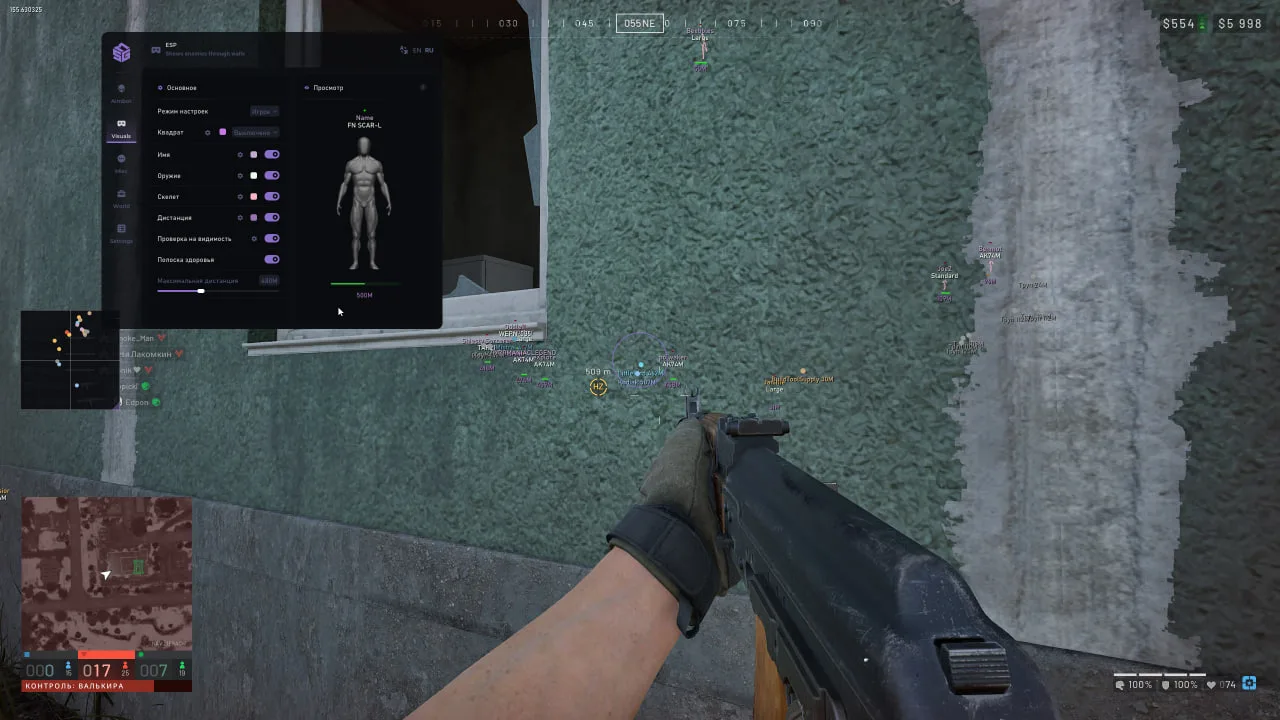
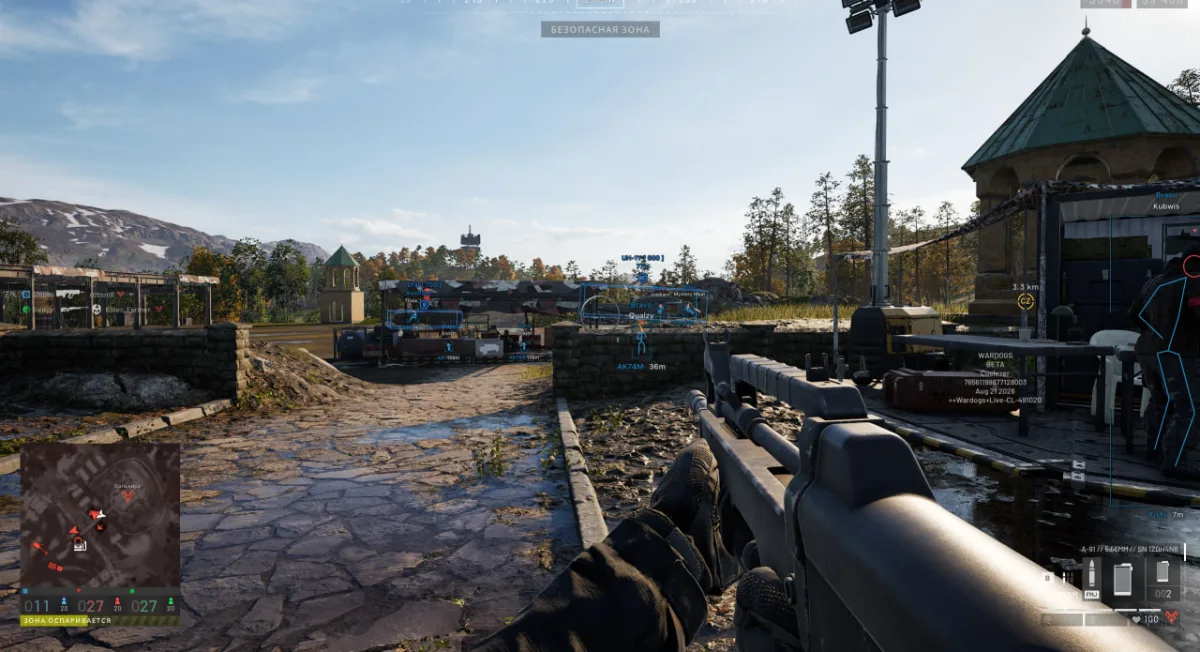
General
Box mode (Off / Normal / Corners): Visible state/Filled
Name: Font size/Downed color
Weapon: Font size
Skeleton: Colored/Thickness/Max distance
Distance: Font size
Visible state: Invisible text and color/Visible text and color/Font size
Health
Maximum distance
Preview: Live ESP layout preview
drag elements to set position
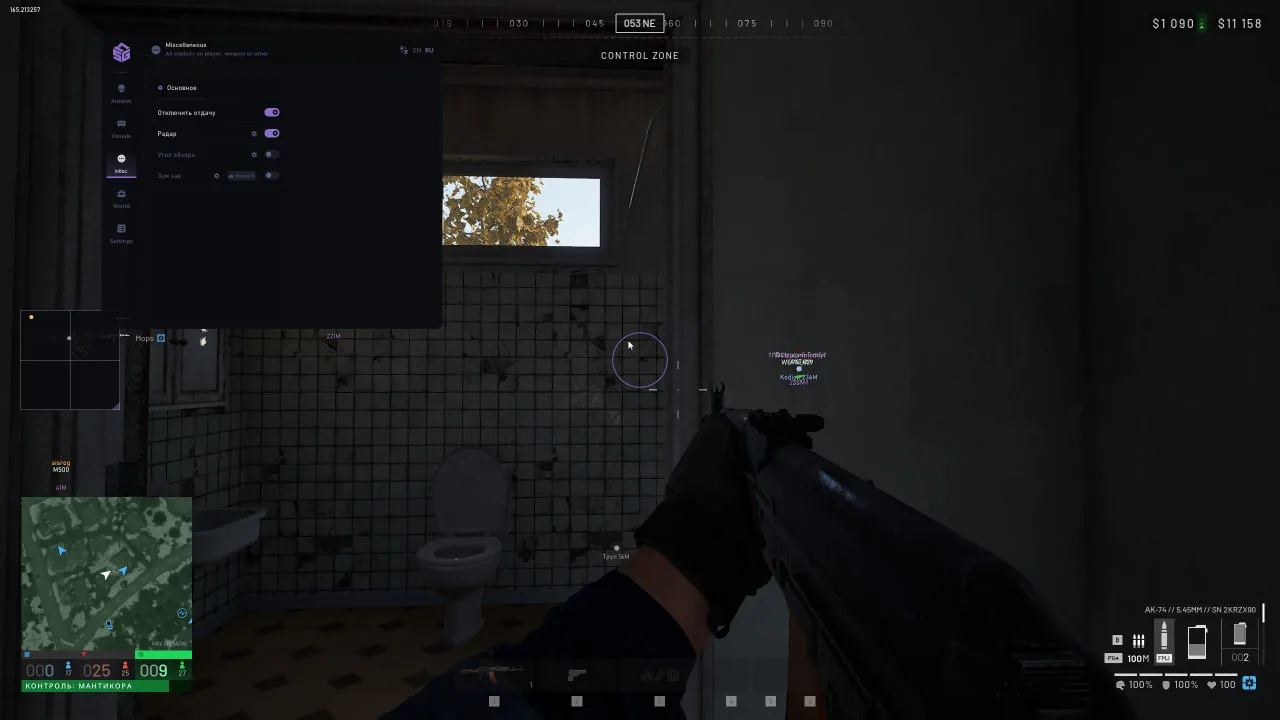
MISC
General
No recoil
Radar
Zoom
Background
No resize
My direction: Length
View direction: Length/Thickness
Colors: Players / Visible / Downed / Outline
Fov changer: FOV
Zoom hack (activation key): Zoom value
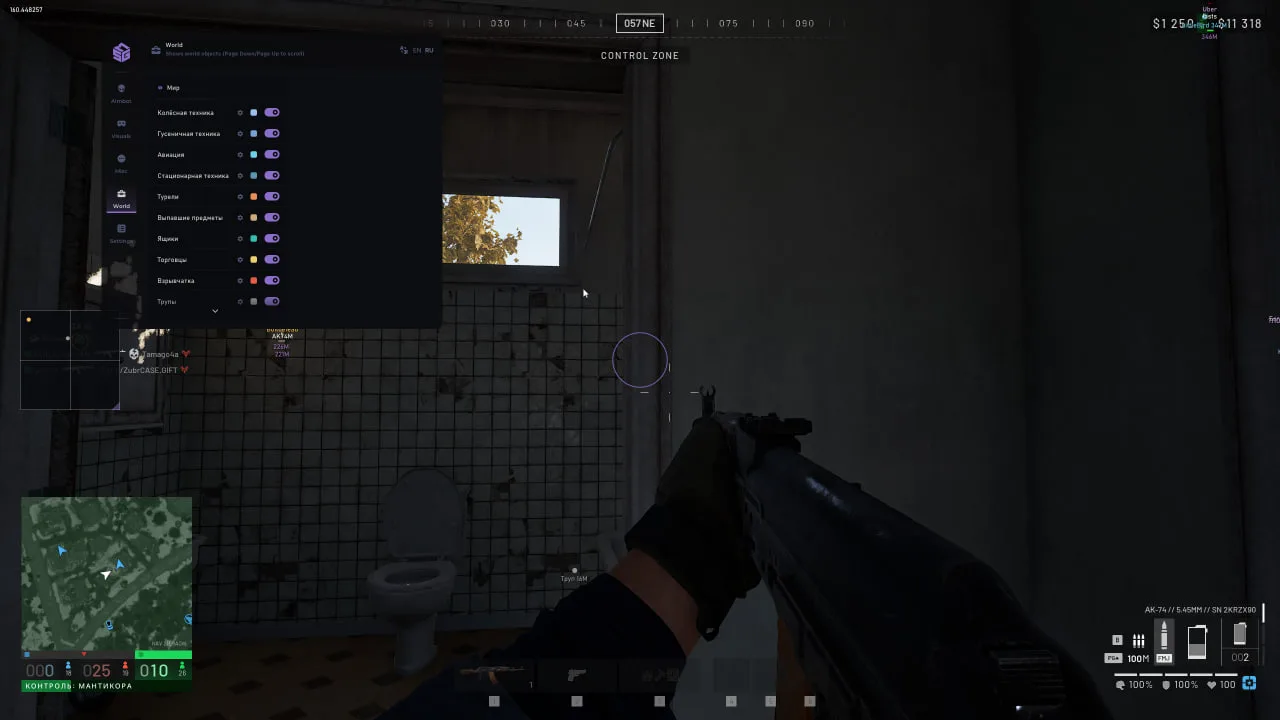
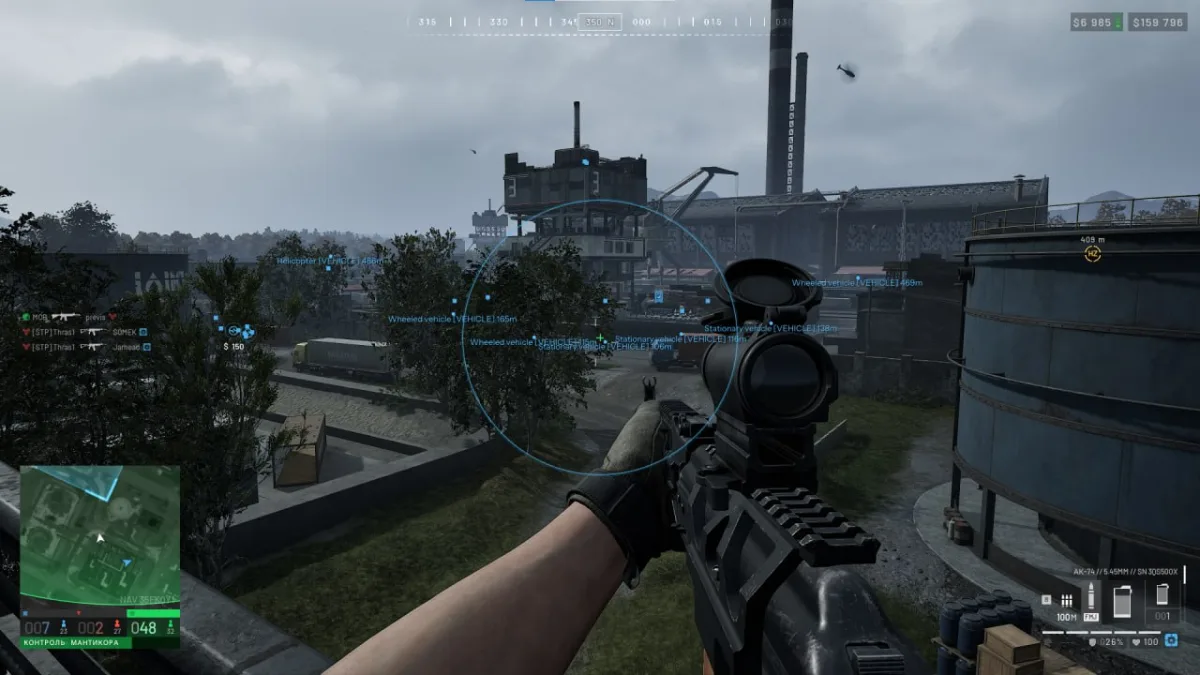
WORLD
Objects
Wheeled vehicles: Show background/Show title/Show point/Show distance/Show friendly (own faction- separate color)/Maximum distance/Font size/Point size/Custom title
Tracked vehicles: Show background/Show title/Show point/Show distance/Show friendly (own faction- separate color)/Maximum distance/Font size/Point size/Custom title
Air vehicles: Show background/Show title/Show point/Show distance/Show friendly (own faction- separate color)/Maximum distance/Font size/Point size/Custom title
Stationary vehicles: Show background/Show title/Show point/Show distance/Show friendly (own faction- separate color)/Maximum distance/Font size/Point size/Custom title
Mounted weapons: Show background/Show title/Show point/Show distance/Maximum distance/Font size/Point size
Dropped items: Show background/Show title/Show point/Show distance/Maximum distance/Font size/Point size
Containers: Show background/Show title/Show point/Show distance/Maximum distance/Font size/Point size
Vendors: Show background/Show title/Show point/Show distance/Maximum distance/Font size/Point size
Explosives: Show background/Show title/Show point/Show distance/Maximum distance/Font size/Point size
Corpses: Show background/Show title/Show point/Show distance/Maximum distance/Font size/Point size
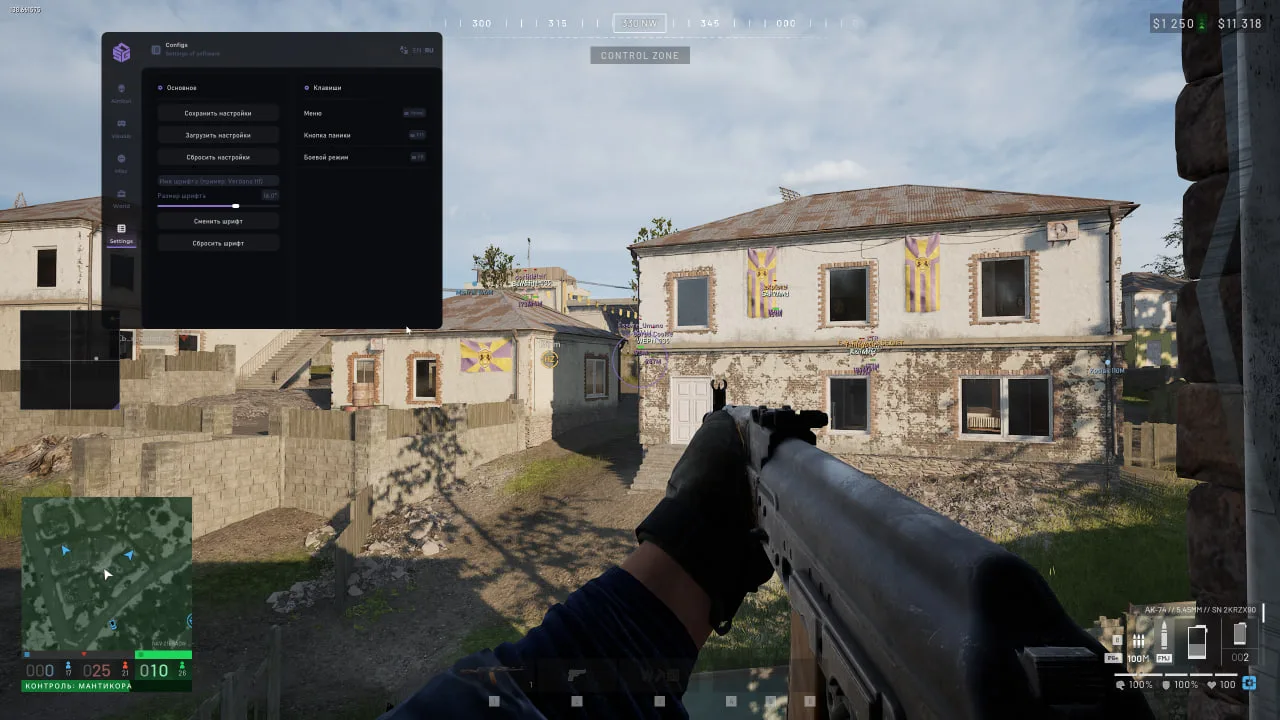
SETTINGS
General
Save settings
Load settings
Reset settings
Font name
Font size
Change font
Reset font
Binds: Menu/Panic/Battle mode
Processor compatibility: Intel / AMD
Graphics card compatibility: NVIDIA / AMD
Supported systems:
Windows 10: 21H2–22H2
Windows 11: 21H2–23H2
Game launch modes:
Windowed, borderless windowed.
Additional functionality:
Built-in Spoofer with launch-time selection.
Cleaner for removing anti-cheat traces.
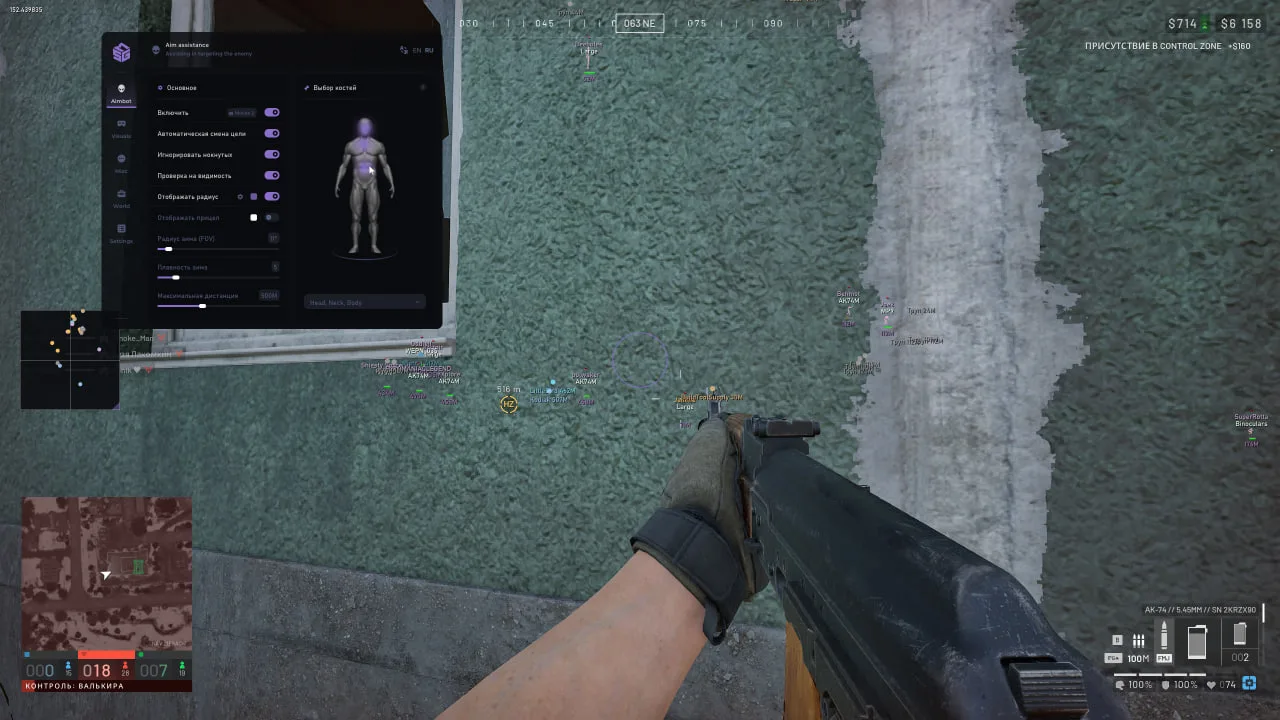
AIMBOT
General
- Enable (activation key)
- Auto switch
- Ignore downed
- Visible check
- Show radius
- Circle segments
- Circle thickness
- Show crosshair
- Field of view (FOV)
- Smooth
- Maximum distance
Bone selection
- Interactive bone picker
- Bone priority multi-select
VISUALS
General
- Box mode (Off / Normal / Corners)
- Visible state
- Filled
- Name
- Font size
- Downed color
- Weapon
- Font size
- Skeleton
- Colored
- Thickness
- Max distance
- Distance
- Font size
- Visible state
- Invisible text and color
- Visible text and color
- Font size
- Health
- Maximum distance
Preview
- Live ESP layout preview, drag elements to set position
Excluded. We carefully check each product, we mentioned this on the first screen of the site.
We will apologize, refund your money, replace the product for free and give you some other cheat codes to boot. But let us repeat – this option is out of the question.
Of course! We provide discounts to regular customers or wholesale buyers on an individual basis.
Yes, the referral program is in development. We will roll out the news as soon as we implement it!
Yes. The high quality of our cheats and our 10 years of experience in development will allow you to feel absolutely calm. We are constantly working: bypassing anti-cheat, improving our software and competently using the insights we receive. Whatever new protection game developers come up with, we will always find an antidote.
Yes, of course! Our range is dynamic. Cheats for Warface, BloodHunt, CS:GO, DayZ, PUBG are some of our few offers. You can also contact support with a specific request, and perhaps we will be able to help you
1. Where can I find the purchased cheat?
Immediately after payment, you will get access to the product in two ways:
A letter with activation data will be sent to your email (check the Spam folder if you do not see the letter).
2. What's inside?
Each cheat includes three key elements:
Key (activation key):
Examples of formats:
XXX-XXX-XXX or okfds85u34sdkofsdkf.
This is your unique code for running the cheat.
Loader (loader):
Download link for the program that injects the cheat into the game.
Files are checked for viruses - temporarily disable your antivirus during installation.
Manual (instructions).
3. How to activate the cheat?
Download Loader from the email or your personal account.
Run it as administrator.
Enter the Key in the appropriate field.
Follow the steps from Manual.
4. If something went wrong
The letter didn't arrive?
Wait 5-10 minutes → check "Spam" → if not, write to support indicating the email you entered when paying.
The key doesn't work?
Make sure you copied it without spaces. If the problem persists, send a screenshot of the error in the chat.
Loader is blocked?
Add it to the antivirus/firewall exceptions (instructions are in Manual).
5. Security reminder
Do not share the Key and Loader with anyone - this will lead to your license being blocked.
For RAGE cheats, always use the Spoofer from the kit to protect your hardware from being banned.
1. Disabling system protection
Before using cheats, you must eliminate all software conflicts:





%22%3E%3Crect x=%222.5%22 y=%222.5%22 width=%228.6%22 height=%228.6%22 rx=%221.4%22/%3E%3Crect x=%2212.9%22 y=%222.5%22 width=%228.6%22 height=%228.6%22 rx=%221.4%22/%3E%3Crect x=%222.5%22 y=%2212.9%22 width=%228.6%22 height=%228.6%22 rx=%221.4%22/%3E%3Crect x=%2212.9%22 y=%2212.9%22 width=%228.6%22 height=%228.6%22 rx=%221.4%22/%3E%3C/g%3E%3Cdefs%3E%3ClinearGradient id=%22g%22 x1=%221%22 y1=%2212%22 x2=%2223%22 y2=%2212%22 gradientUnits=%22userSpaceOnUse%22%3E%3Cstop stop-color=%22%238468FF%22/%3E%3Cstop offset=%221%22 stop-color=%22%23603DFA%22/%3E%3C/linearGradient%3E%3C/defs%3E%3C/svg%3E) System
Windows 10 — 20H2-21H121H2-22H2
Windows 11 — 22H2-23H2
System
Windows 10 — 20H2-21H121H2-22H2
Windows 11 — 22H2-23H2
%22%3E%3Cpath fill-rule=%22evenodd%22 clip-rule=%22evenodd%22 d=%22M7.5 4.6H16.5C18.1 4.6 19.4 5.9 19.4 7.5V16.5C19.4 18.1 18.1 19.4 16.5 19.4H7.5C5.9 19.4 4.6 18.1 4.6 16.5V7.5C4.6 5.9 5.9 4.6 7.5 4.6ZM9.6 8H14.4C15.3 8 16 8.7 16 9.6V14.4C16 15.3 15.3 16 14.4 16H9.6C8.7 16 8 15.3 8 14.4V9.6C8 8.7 8.7 8 9.6 8ZM10.6 9.6C10.05 9.6 9.6 10.05 9.6 10.6V13.4C9.6 13.95 10.05 14.4 10.6 14.4H13.4C13.95 14.4 14.4 13.95 14.4 13.4V10.6C14.4 10.05 13.95 9.6 13.4 9.6H10.6Z%22/%3E%3Crect x=%227.9%22 y=%221.6%22 width=%221.7%22 height=%223.6%22 rx=%220.85%22/%3E%3Crect x=%2211.15%22 y=%221.6%22 width=%221.7%22 height=%223.6%22 rx=%220.85%22/%3E%3Crect x=%2214.4%22 y=%221.6%22 width=%221.7%22 height=%223.6%22 rx=%220.85%22/%3E%3Crect x=%227.9%22 y=%2218.8%22 width=%221.7%22 height=%223.6%22 rx=%220.85%22/%3E%3Crect x=%2211.15%22 y=%2218.8%22 width=%221.7%22 height=%223.6%22 rx=%220.85%22/%3E%3Crect x=%2214.4%22 y=%2218.8%22 width=%221.7%22 height=%223.6%22 rx=%220.85%22/%3E%3Crect x=%221.6%22 y=%227.9%22 width=%223.6%22 height=%221.7%22 rx=%220.85%22/%3E%3Crect x=%221.6%22 y=%2211.15%22 width=%223.6%22 height=%221.7%22 rx=%220.85%22/%3E%3Crect x=%221.6%22 y=%2214.4%22 width=%223.6%22 height=%221.7%22 rx=%220.85%22/%3E%3Crect x=%2218.8%22 y=%227.9%22 width=%223.6%22 height=%221.7%22 rx=%220.85%22/%3E%3Crect x=%2218.8%22 y=%2211.15%22 width=%223.6%22 height=%221.7%22 rx=%220.85%22/%3E%3Crect x=%2218.8%22 y=%2214.4%22 width=%223.6%22 height=%221.7%22 rx=%220.85%22/%3E%3C/g%3E%3Cdefs%3E%3ClinearGradient id=%22g%22 x1=%221%22 y1=%2212%22 x2=%2223%22 y2=%2212%22 gradientUnits=%22userSpaceOnUse%22%3E%3Cstop stop-color=%22%238468FF%22/%3E%3Cstop offset=%221%22 stop-color=%22%23603DFA%22/%3E%3C/linearGradient%3E%3C/defs%3E%3C/svg%3E) Processor
Intel and AMD
Processor
Intel and AMD


%22/%3E%3Cpath d=%22M138.98 0L138.98 -2.89H138.98V0ZM277.96 138.98H280.85V138.98H277.96ZM138.98 277.96V280.85H138.98L138.98 277.96ZM9.39 271.16L9.74 274.03H9.74L9.39 271.16ZM1.47 262.3L-1.34 261.62L-1.34 261.62L1.47 262.3ZM14.56 208.18L11.76 207.5H11.76L14.56 208.18ZM0 138.98H-2.89V138.98H0ZM14.66 201.17L17.24 199.88L14.66 201.17ZM64.84 264.21L65.2 267.08L64.84 264.21ZM138.98 0L138.98 2.89C214.15 2.89 275.08 63.82 275.08 138.98H277.96H280.85C280.85 60.63 217.34 -2.89 138.98 -2.89L138.98 0ZM277.96 138.98H275.08C275.08 214.14 214.15 275.08 138.98 275.08L138.98 277.96L138.98 280.85C217.34 280.85 280.85 217.33 280.85 138.98H277.96ZM138.98 277.96V275.08C120.58 275.08 103.04 271.43 87.04 264.81L85.94 267.48L84.83 270.15C101.52 277.05 119.81 280.85 138.98 280.85V277.96ZM64.84 264.21L64.48 261.35L9.03 268.3L9.39 271.16L9.74 274.03L65.2 267.08L64.84 264.21ZM9.39 271.16L9.03 268.3C6.02 268.67 3.57 265.93 4.28 262.98L1.47 262.3L-1.34 261.62C-3 268.5 2.73 274.91 9.74 274.03L9.39 271.16ZM1.47 262.3L4.28 262.98L17.37 208.85L14.56 208.18L11.76 207.5L-1.34 261.62L1.47 262.3ZM14.66 201.17L17.24 199.88C8.06 181.56 2.89 160.88 2.89 138.98H0H-2.89C-2.89 161.8 2.5 183.36 12.08 202.47L14.66 201.17ZM0 138.98H2.89C2.89 63.82 63.82 2.89 138.98 2.89V0V-2.89C60.63 -2.89 -2.89 60.63 -2.89 138.98H0ZM14.56 208.18L17.37 208.85C17.64 207.73 17.99 206.28 18.1 204.81C18.21 203.31 18.09 201.57 17.24 199.88L14.66 201.17L12.08 202.47C12.29 202.9 12.4 203.5 12.34 204.39C12.27 205.32 12.04 206.31 11.76 207.5L14.56 208.18ZM85.94 267.48L87.04 264.81C80.01 261.9 72.27 260.37 64.48 261.35L64.84 264.21L65.2 267.08C71.77 266.25 78.49 267.53 84.83 270.15L85.94 267.48Z%22 fill=%22white%22 style=%22mix-blend-mode:soft-light%22 mask=%22url(%23path-1-inside-1_0_319)%22/%3E%3C/g%3E%3Cdefs%3E%3ClinearGradient id=%22paint0_linear_0_319%22 x1=%22-22.4%22 y1=%22173.9%22 x2=%22300.4%22 y2=%22104%22 gradientUnits=%22userSpaceOnUse%22%3E%3Cstop stop-color=%22%23373ADA%22/%3E%3Cstop offset=%221%22 stop-color=%22%23A2A9FB%22/%3E%3C/linearGradient%3E%3C/defs%3E%3C/svg%3E)